

Cyber threats in 2026 are faster, more automated, and harder to spot than the threats many businesses were dealing with just a few years ago. Older lists focused heavily on individual viruses, exploit kits, and named ransomware strains. Those still matter, but today’s bigger risk is the way attackers combine stolen passwords, AI tools, cloud mistakes, ransomware, and third-party access to move quickly through a business network.
For small and mid-sized businesses, the lesson is simple: cybersecurity in Toronto can no longer be treated as a one-time software install. It needs regular updates, employee awareness, strong access controls, reliable backups, and ongoing monitoring.
Below are ten cyber threats businesses should take seriously in 2026.
Table of Contents
- AI-Powered Phishing and Social Engineering
- Ransomware and Double Extortion
- Cloud Misconfigurations
- Third-Party and Supply Chain Attacks
- Unpatched Software and Zero-Day Vulnerabilities
- Endpoint and Remote Work Attacks
- Insider Threats and Human Error
- Poor Cyber Hygiene and Lack of Incident Readiness
- How Businesses Can Protect Themselves in 2026
1. AI-Powered Phishing and Social Engineering
Phishing is still one of the most common ways attackers get into business systems, but it has become much more convincing. In 2026, cybercriminals can use AI tools to create polished emails, fake invoices, realistic chat messages, and even deep fake voice or video scams.
These attacks often look like they came from a manager, vendor, client, or trusted service provider. Instead of obvious spelling mistakes, the message may sound professional and specific to the business.
To reduce the risk, businesses should train employees to verify unusual requests, use multi-factor authentication, and avoid approving payments, password resets, or file transfers based only on email or chat.
2. Ransomware and Double Extortion
Ransomware remains one of the most damaging cyber threats. Attackers may encrypt files, steal data, and then demand payment to restore access or prevent sensitive information from being leaked.
In 2026, ransomware groups are still using ransomware-as-a-service models, which make it easier for less technical criminals to launch attacks. Many incidents begin with phishing, stolen credentials, exposed remote access tools, or unpatched systems.
Businesses should protect themselves with secure backups, endpoint protection, patch management, restricted admin access, and a clear incident response plan.
3. Stolen Credentials and Weak Password Security
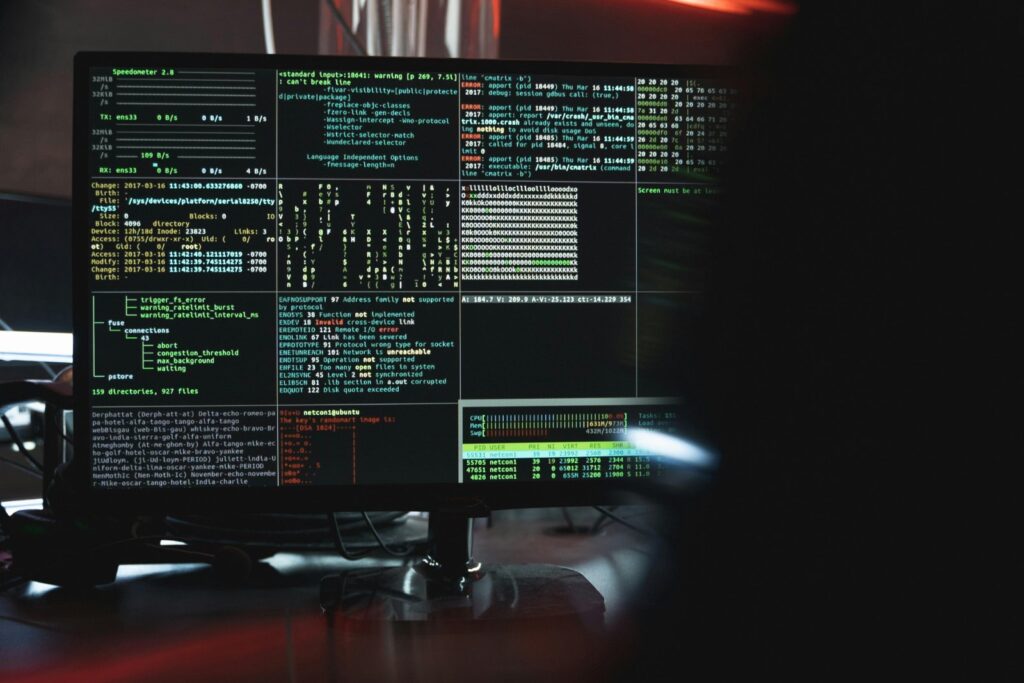
Stolen usernames and passwords are still a major entry point for attackers. Once a criminal has valid login details, they may be able to access email, cloud storage, accounting tools, customer data, or remote work systems without triggering obvious alarms.
The risk increases when employees reuse passwords across personal and business accounts. If one service is breached, attackers may try those same credentials elsewhere.
Strong password policies, password managers, multi-factor authentication, and regular account reviews can help reduce this risk.
4. Cloud Misconfigurations
Many businesses rely on cloud platforms for email, file storage, backups, databases, and applications. These tools can be secure, but only when they are set up properly.
Common cloud security problems include public storage folders, weak access permissions, missing encryption, unused accounts, and poor monitoring. A simple configuration mistake can expose large amounts of sensitive data.
Businesses should review cloud permissions regularly, remove inactive users, limit administrator access, and use monitoring tools that can flag unusual activity.
5. Third-Party and Supply Chain Attacks
Businesses are connected to more outside systems than ever before. Vendors, contractors, software providers, managed service providers in Toronto, payment platforms, and cloud tools may all have some level of access to company data or systems.
Attackers know this. Instead of attacking one business directly, they may target a trusted third party and use that relationship to reach many organizations at once.
To manage this risk, businesses should ask vendors about their security practices, limit third-party access to only what is needed, review contracts, and remove access when a relationship ends.
6. Unpatched Software and Zero-Day Vulnerabilities
Software vulnerabilities continue to be a serious threat in 2026. Some are known issues that businesses simply have not patched. Others are zero-day vulnerabilities, which means attackers may exploit them before a fix is widely available.
Unpatched operating systems, browsers, plugins, firewalls, remote access tools, and business applications can all create openings for attackers.
A good patch management process is one of the most practical defenses. Businesses should keep software updated, remove programs they no longer use, and prioritize fixes for internet-facing systems.
7. Endpoint and Remote Work Attacks
Laptops, phones, tablets, and home office devices remain common targets. When employees work remotely, business data may move between personal networks, cloud apps, email, and mobile devices.
Attackers may use malicious attachments, fake software updates, drive-by downloads, trojans, or compromised websites to infect endpoints. Once a device is compromised, it can become a doorway into the larger business network.
Businesses should use endpoint protection, device encryption, secure remote access, automatic updates, and policies for lost or personal devices.

8. DNS Tunneling and Hidden Network Activity
Some modern attacks are designed to stay hidden for as long as possible. DNS tunneling is one example. In this type of attack, criminals abuse normal-looking DNS traffic to move data out of a network or communicate with malware.
Because DNS is a regular part of internet activity, suspicious traffic can be missed if the business does not monitor it properly.
Security tools that inspect network behaviour, block known malicious domains, and alert on unusual traffic patterns can help detect these quieter threats.
9. Insider Threats and Human Error
Not every cyber incident starts with an outside attacker breaking in. Some incidents happen because an employee clicks a bad link, sends data to the wrong person, uses weak passwords, misconfigures a system, or keeps access they no longer need.
There are also cases where a current or former employee intentionally misuses access. Both accidental and intentional insider threats can expose data or disrupt operations.
Businesses can reduce risk by applying least-privilege access, removing old accounts, monitoring sensitive systems, and training employees on safe handling of company data.
10. Poor Cyber Hygiene and Lack of Incident Readiness
One of the biggest cybersecurity problems in 2026 is not a single piece of malware. It is poor cyber hygiene. Many breaches happen because basic protections are missing or not maintained.
Common gaps include weak passwords, no multi-factor authentication, outdated software, poor backups, limited employee training, no vendor review process, and no plan for what to do during an attack.
Cybersecurity does not need to be overwhelming, but it does need to be consistent. Regular maintenance, employee awareness, and professional IT support in Toronto can prevent many incidents before they become serious.
How Businesses Can Protect Themselves in 2026
The most effective cybersecurity plans focus on prevention, monitoring, and recovery. Businesses should:
- Use multi-factor authentication on important accounts
- Keep operating systems, apps, browsers, and security tools updated
- Back up important data and test those backups
- Train employees to spot phishing, fake invoices, and suspicious links
- Limit administrator access
- Monitor cloud accounts and remote access tools
- Review vendor and third-party access
- Use endpoint protection on business devices
- Create an incident response plan before an emergency happens
Cyber threats will continue to change, but the goal stays the same: protect your data, keep your systems running, and reduce the chance that one mistake turns into a major business interruption.
If your business is unsure where to start, Eyes Everywhere IT Consulting can help review your current setup, identify security gaps, and put practical protections in place.
Sources used for the 2026 update:
Nation Cyber Threat Assessment 2025-2026
Top Cybersecurity Threats in 2026: The Next Ten

Need IT Remote Support for your WFH Staff?
Working from home has become a normal part of business for many companies. But when your team is outside the office, IT problems can...
Windows 10 Support Has Ended: What Should You Do Now?
Windows 10 has officially reached the end of support. As of October 14, 2025, Microsoft no longer provides free security updates,...

Email Safety Guide: Protect Yourself Everywhere
A lot of times, we get questions regarding the safety on email. This guide is applicable to people everywhere! Easiest answer: if it...